In which I will muse about the laptops of days present and past. Mostly to try and do this “collecting thoughts in a somewhat coordinated manner”, and to see if this works out to be a post of a length I had in my mind when making this plan or if this will be a three-sentence fluke.
I’ll not talk about the several work laptops I had over the years, those usually were Dell work-horses doing exactly what they were meant to do while running company-administrated Windows installations that usually also were doing what they were meant to, and usually saw use plugged into their respective docking stations anyway. Used on the road, or the rail, or other people’s living rooms, they also… just worked. I’d still not get one for myself, because I adore the tiny-ness of my current device, but more on that later.
The First: the Lenovo Thinkpad
The year was 2009, I was in university, and I decided I wanted some kind of computing device to take with me. Smartphones were barely a thing yet, and all those different organizer-type-things did by far not have enough bang for the substantial bucks, but the good ol’ Lenovo Thinkpad promised a somewhat reliable brand (spun off of the nearly-indestructible IBM laptops, after all) and an opportunity to take an actual Windows (XP, back then) with me, with all the software-freedom that brought.
OR SO I THOUGHT.
I got the thing for the reasonably price of 300 bucks, which feels almost cheap compared to today’s pricing, and a 2GB stick of RAM to replace the singular gigabyte it came with, which honestly feels hillarious today. The 1.6GHz Intel Atom was an okay CPU, and the GMA950 chipset provided at least some graphic capabilities.
Windows booted, and things just worked as a windows does. There was only one problem:
The screen has a resolution of 1024 by 576 of god’s own pixels, in a 16:9 ratio.
This is Quite A Few pixels away from the 4:3 form of of 1024×768. It is ALSO 26 pixels away from a 800×600 resolution.
It is not a big screen.
Any boi, that was noticeable. Even back then, a lot of applications really did not work well with the desktop resolution, requiring the full 768 pixels in height and otherwise just cutting things off, or being unable to display everything on the screen. The same went for any attempt of gaming, which was technically possible but worked even worse with the resolution. In 800×600, the two black bars on the side were manageable, but the 26 lines cut off at the bottom made a lot of things impossible, and while 16:9 was supported by many games even back then, it wasn’t in this weird numbers.
It was frustrating.
Over the years, I have tried several times to use Linux on the thing, in various flavours but never with good results. Also on there the resolution was just off-enough to confuse most applications, and anything past office and internet use was a pain to get working back then. I’ll have much more to say about the contemporary Linux experience in a later post.
In the end, the Thinkpad was a permanent companion for a long time, at some point saw an upgrade to a SSD, and was used a lot: mostly for its core competencies of, well, office work and internet use, as well pdf reading, especially during exam times. It also ate a lot of my attention during lectures once I learned about RSS readers, as they were always the more compelling option compared to the script…
Many years later I even managed to install Windows 11 on it, which actually “works” in that it installs and boots, but really can’t do anything else.
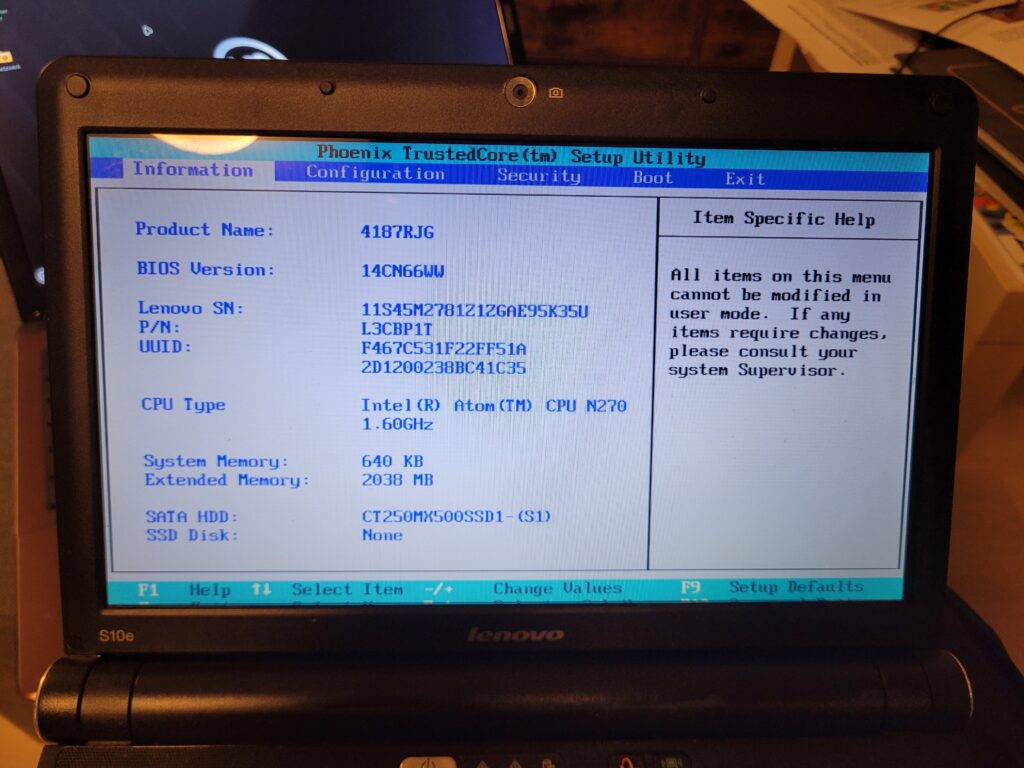
In the writing of this post I’ve actually tried to boot the thing again (the keyboard still feels great) and was promptly greeted by a CMOS error. After more than 15 years that’s okay, I’d say. Then I noticed that not even its own BIOS fits the screen.
And THEN I noticed that it couldn’t even run the Mint-USB-Stick I still have around, as that one is obviously made for 64-bit system. Laughs in i386. Maybe it’s time to get rid of that thing…
Interlude: the Smartphone
I joined this particular cult in 2015, I think? The phone immediately took the laptop’s place for most portable computing needs. A screen with roughly double the pixels in a fraction of the size? Apps that actually FIT the screen, as if they’re DESIGNED for that? Hell yea.
But a phone still has no proper keyboard, and has a hard time running steam, so The Need was still there. Enter…
The Heirloom:
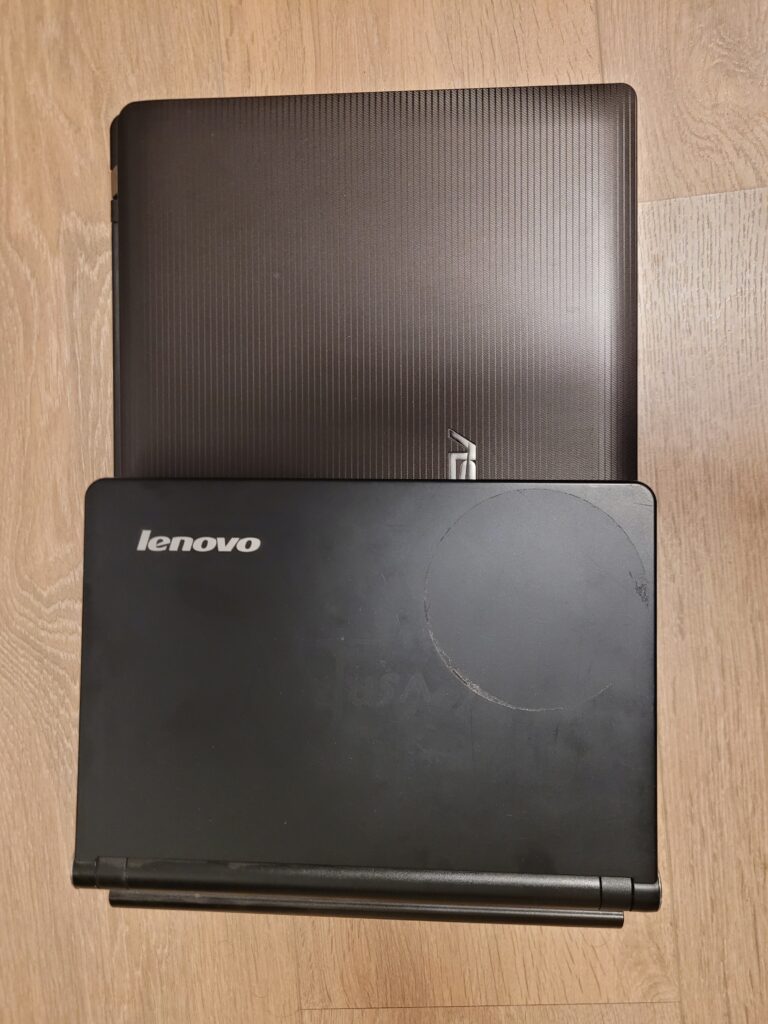
Early 2016 I inherited the laptop that my father had gotten for himself and barely ever used.
1366×768 of God’s Own Pixels made at least for a proper display that could actually show things, but in comparison to the smaller one it’s also funny how it has twice the real estate but by far not twice the resolution. It was a rather grainy experience.
Under the hood it came with a 2.4GHz DualCore, an actual GPU (a Nvidia FT540M) and… more than one gig of RAM, if I remember correctly. It coud Do Things. I have swapped the HDD for an SSD, gaining some more speed, and for a few years this thing was a constant, albeit bulky travel companion.
While the smartphone allowed for easy access to most day-to-day-things, having a keyboard was useful in some cases, and so was being able to work on a somewhat more ergonomic system. Especially during my time in Toulouse in 2018 it was good to have a proper-seized private screen. And a machine on which games could be run, which it did quite well for older titles.
Another useful thing it has is an actual optical drive, and it saw some use in preserving optical media.
After a few years in different travel situations however it became too bulky, and too weak, and overall too old for my taste, so I decided to grab something new:
The Surface
About as large as the Lenovo, half as thick, and roughly double the real estate with a native full HD resolution of 1920×1280, an m3 with 2.6GHz and the UHD Graphics 615 chipset vastly more powerful than the old machines, only coming up short in raw integrated storage (160GB) but able to take any microSD-card, I still consider this machine one of my better tech-investments ever made.
Coming from both previous iterations, the full-resolution but somewhat small screen proved to be a very welcome relief from both the phone and the lugging-around of the larger machine. Running a modern windows natively also helped (though it no longer does), and this small piece is surprisingly good for gaming, as long as one doesn’t throw modern day AAA graphic demands on it1. Paired with a cheap bluetooth mouse and the keyboard cover it’s more than sufficient for everyday needs during travel, and I cannot count the amount of times where I brought it along thinking I’d use it SO MUCH MORE2. But even to have access to a keyboard and a screen for checking eMails, blogs, and youtube that’s not a phone? Great.
Also: a dedicated second device to run the discord videochat during online gaming groups. Load-wise my PC would not blink an eye, but “having a camera” is the more important part here.
Another thing that influenced my buying decision was the stylus: somehow I had thought that I might get more into digital drawing, but as with any attempt to get more into drawing it ultimately failed due to me not doing it. Compared to a proper graphics tablet the thing was always a bit sluggish, but it did work somewhat well3.
So yeah. Very nice small piece of portable computing. I think the moral of this story is “think about what you need and then get something for that”.
Okay, now I mostly complained about screen size and actual size, and gushed about the Surface. I don’t know anymore where I even wanted to go with this, but hey: I did want to write a longer somewhat-coherent piece, so here’s one.
- Heavy gaming needs are taken care of by my proper desktop PC, so having a mighty gamer-laptop was never a priority. ↩︎
- Says the one who regularly brought an extra suitcase full of books on family vacations, make of that what you will. ↩︎
- The move to Linux, about which more will be written in another installation of Tech Talks, shot both the touchscreen and the cameras. Fuck proprietary drivers. ↩︎