I have been annoyed by youtube-ads for a long time.
I’ve been specifically annoyed by the fact that my TV is one generation too old to install a custom OS that allows a custom yt-app that eats ads.
I’ve been ragingly annoyed by the fact that there were pre- and post-roll ads and THREE midroll-ads in an eight-minutes-video.
Something had to be done.
I always had the option to “just” use my steamlink and use an adblocked browser on the PC. For that, the big machine needed to be on. Not ideal. If only there’d be A Thing that can combine both the streaming capabilities of the steamlink and a standalone internet access with a similarly adblocked browser.
A longer exploration of options led to this thing here:
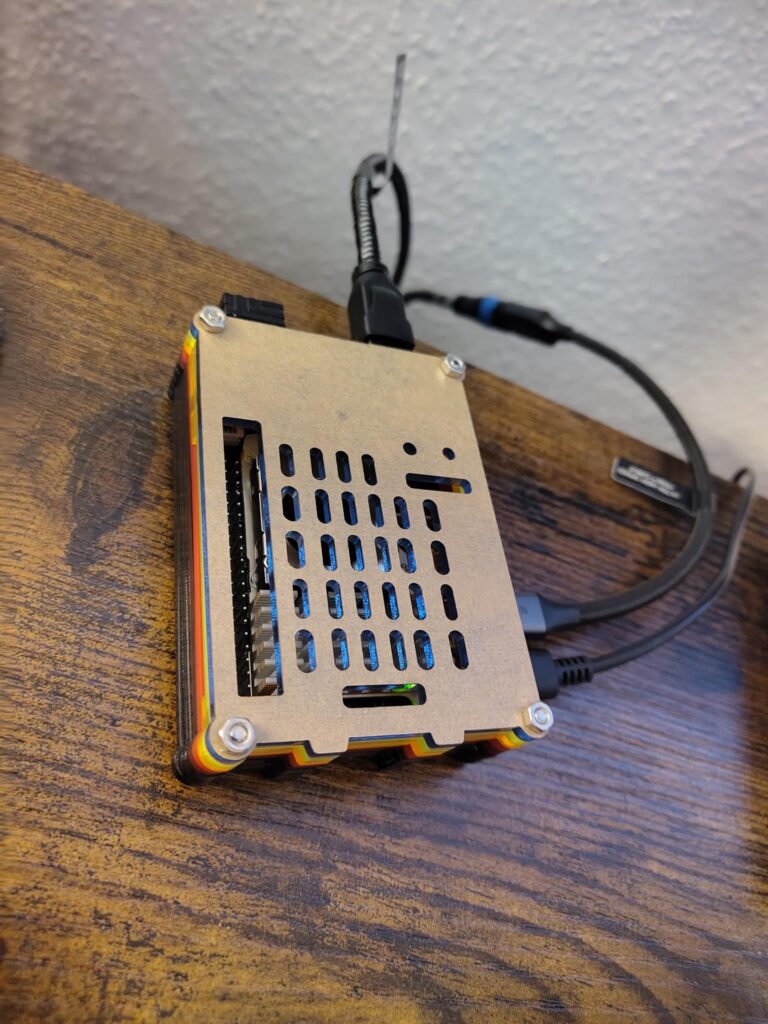
But one thing after another.
Before putting down the money for a new Raspberry Pi, I had asked around in my social circles if someone wants to get rid of one, and found myself with a Raspi 3B+. Looking around the internet I came across DietPi, which wants to be a very lightweight OS, and with the Pi being older I thought that a good idea.
It didn’t work well. Everything felt sluggish, and it felt like nothing worked right.
I then moved on to the default Raspberry Pi OS, which went a lot smoother, but still not smooth enough: while Firefox technically worked, it was extremely sluggish on the old hardware, and yt-playback was nearly impossible. I tried a whole bunch of other options, but external players also suffered from the sheer lack of power in that model, and the Kodi-plugin (with Kodi itself running pretty smooth!) failed on the youtube API, as did another external player.
What did work smooth was steamlink, not surprising given that the box under my TV was older than this raspi, but that… would not have been an improvement over my previous situation. The major win there was figuring out how to share my PC’s internet connection over a direct-LAN-link: the Pi (and previously the link) are wired to the PC, but previously saw no internet through that connection. Not a problem on the link, but the Pi tried to stream on wireless once it was connected to wireless, and couldn’t get internet access over the cable before, again defeating the purpose. Now, or rather “from here on onwards”, the Pi got streaming and internet from the PC if it’s on, and wireless internet otherwise.
Generally playing videos from my NAS also worked fine, but again, only a secondary requirement.
Another thing I tried briefly was the LibreELEC OS, to dedicatedly run Kodi (as Kodi can run steamlink as a plugin), which.. worked somewhat, but still failed on the youtube API.
Begrudgingly I admitted defeat. Begrudgingly I got a Raspi 5. Begrudgingly I realized how much hassle I could have spared myself had I just done that directly.
(Let’s not talk about the two hours of getting-no-picture, frantically flashing and re-flashing SD-cards only to then realize that powercycling the TV solved the issue.)
Unsurprisingly the Pi 5 is massively more powerful. It’s not even a competition.
Firefox with uBlock runs youtube ad-free and without any issues. It’s great. The amount of annoyance I no longer feel was very much worth the week of swearing while fighting the Pi 3. Steamlink works, somewhat: there’s some flickering with seems to be a problem on the PC, where steam refuses to use the actual graphics card for Big Picture Mode (don’t ask me, I’ve given up), and both steamlink and sunshine/moonlight (an alternative streaming pairing) are hell-bent on showing the wrong screen (as in, not the one games actually start on when started). I am a bit at a loss there, but then starting games via steam/Big Picture mostly seems to work.
Given that there’s not a lot else I actually want to do with the Pi, I can’t say much on potential possibilities around it. It does however do exactly what I got it for, and I hope it’ll just keep doing just that for a long time.